🔗 Webhook
Bluente uses webhooks to notify you when the translation status changes to READY or ERROR. You can set up webhooks in the Bluente Dashboard.
The webhook URL is an account-level setting: one URL per user, used for every translation started by that user (whichever API key or app started it). There is no per-request callback URL; use meta_data to match a notification to your own job.
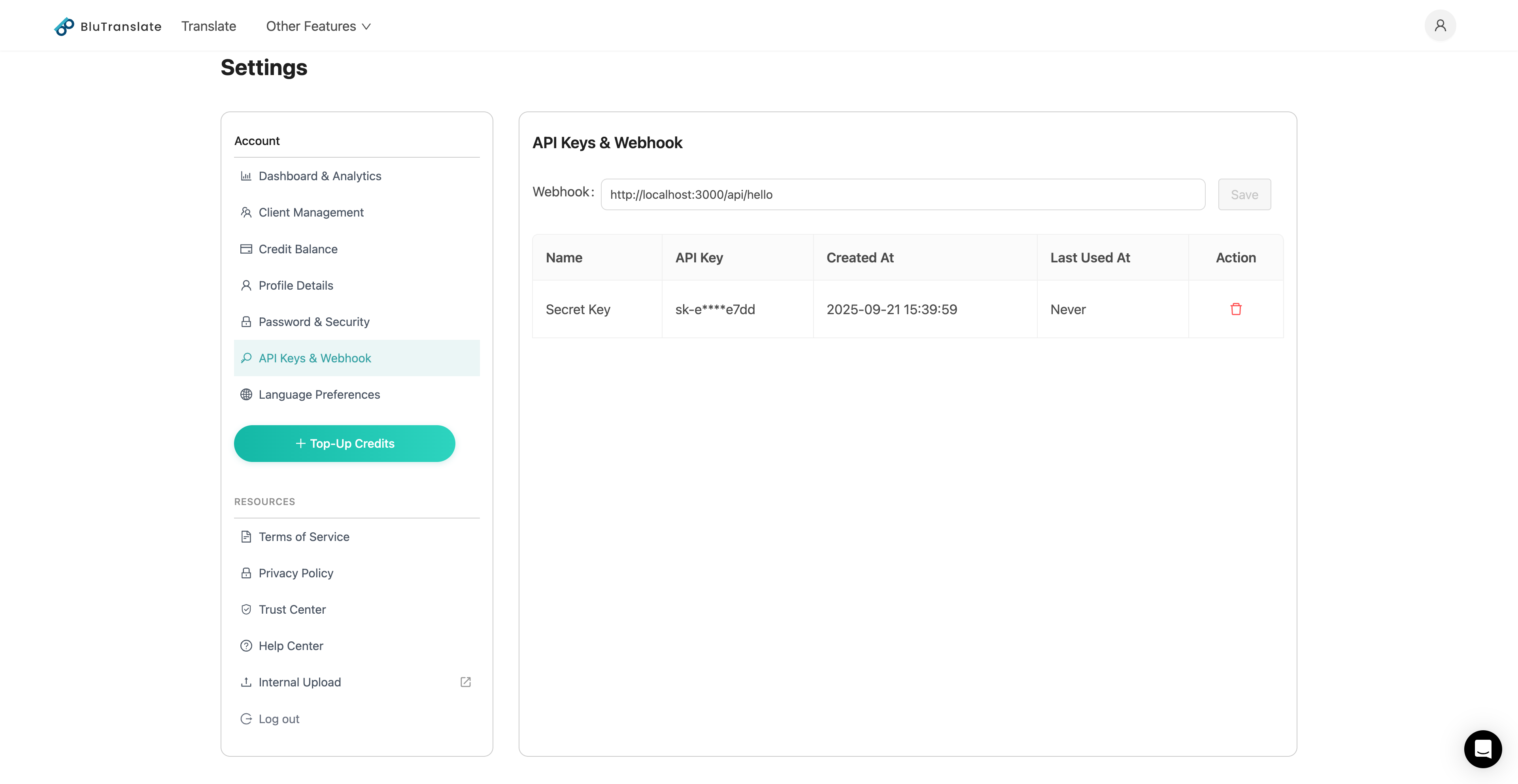
Example: Bluente Dashboard has webhook settings.
📨 Delivery
- Bluente sends an HTTP
POSTwith a JSON body to your URL, with headersContent-Type: application/jsonandUser-Agent: Bluente-Translation-Webhook/1.0. - It is sent when the translation finishes (
state: "READY") and when the translation step fails (state: "ERROR"). Handle duplicate notifications for the sametask_idsafely. - Respond with any
2xxstatus. Bluente waits up to 30 seconds for your response. A non-2xxresponse or a timeout is not retried. - Requests are not signed. Treat the payload as a notification only: before you act on it, confirm the task with Get Translation Status using your own API key, then Download the file.
- Problems found while the file is being processed after upload (for example a corrupt or password-protected file) happen before translation starts and don’t send a webhook. Poll Get Translation Status until the status is
SERVICE_PROCESSEDbefore you start the translation. See Error Codes.
✅ Request Body
{
  "engine": 3,
  "filename": "xxxxxxx.pdf",
  "meta_data": {
    "job_id": "...",
    "session_id": "...",
    "region": "ca"
  },
  "page_count": 2,
  "source_language": "en",
  "state": "READY",
  "target_language": "zh",
  "task_id": 1,
  "created_at": "2025-10-08 11:32:59",
  "updated_at": "2025-10-08 11:36:03",
  "user_id": "xxxx"
}
📊 Response Fields
| Field | Type | Description |
|---|---|---|
engine | int | Engine ID |
filename | string | Filename |
meta_data | json | The meta_data object sent to the Translate File API, returned unchanged. null if not set |
page_count | int | Number of pages in the uploaded document |
source_language | string | Source language code |
state | string | Current processing status (see state list below) |
target_language | string | Target language code |
task_id | int | Task ID — the id used with Get Translation Status and Download File |
created_at | string | Created timestamp |
updated_at | string | Last updated timestamp |
user_id | string | ID of the user who started the translation |
📌 State Values
| State | Description |
|---|---|
READY | Translation completed. (At this point, call Download File API) |
ERROR | Something went wrong. Stop checking and show an error message. |